Showing posts with label Apple iPad. Show all posts

Wednesday, May 7, 2014

9 Best Ways to watch HD TV shows and Movies on your Apple iPad 3/4/5

Packing a wide 9.7-inch Retina display with unprecedented 2048x1536 pixels, the new iPad (iPad 5rd generation) is really a solid video-playing machine and it absolutely rocks for watching HD even Full-HD 1080p movies. There is a whole slew of choices when it comes to finding and watching videos on th lastest Apple tablet. But which is right for you? Any ideas for getting more HD videos onto iPad devices? Now let's explore your options. 



Plenty of developers and media companies have figured this out, so there has been a steady stream of new ways to watch TV shows and movies on your new iPad that don't involve iTunes. Some, like Netflix and Hulu, are apps that you download, while others are iPad-optimized sites that help you find and watch the best TV and movies the Web has to offer. If you want to watch TV and movies from your own collection, there are apps for that, and there are even products that let you watch live TV shows on your tablet. 

I've tried many of these solutions, and below you'll find the top several ways to bring TV and movies to your iPad. 

1. Load Videos from iTunes 
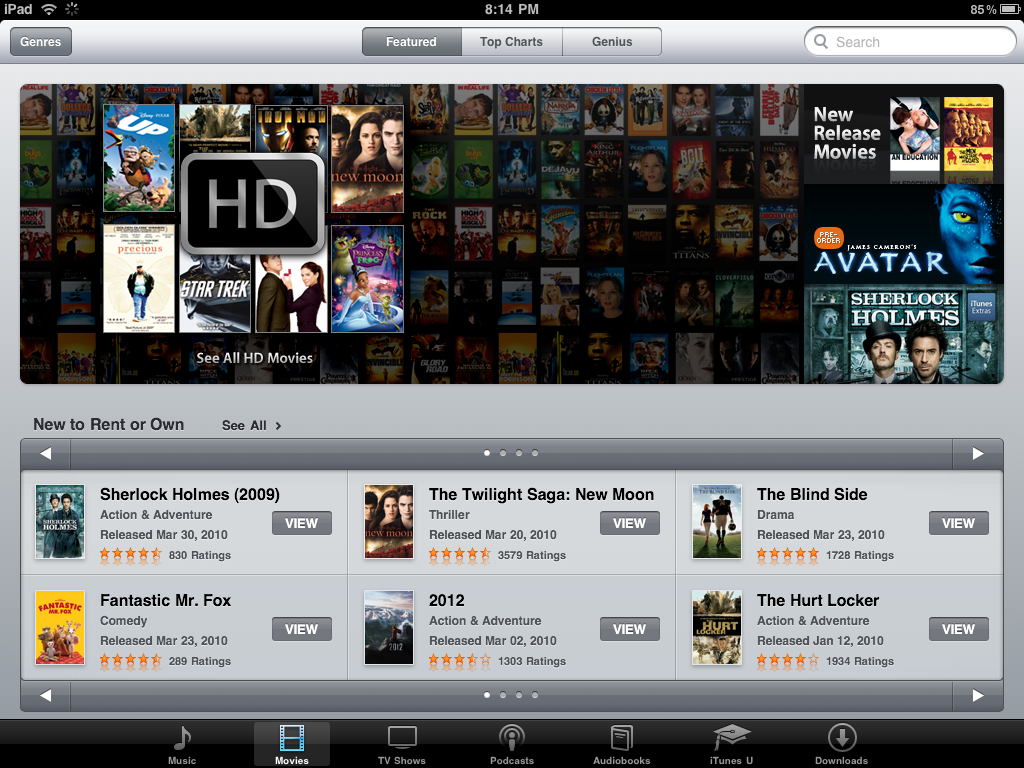


This is the way Apple would prefer you do things, as it would presumably involve you paying them for the videos you're watching. It's probably the most idiot-proof way of watching TV shows and movies (provided they're in the iTunes Store), but it's also going to fill up your iPad's hard drive really quickly. Now you can enjoy 1080p HD movies and TV shows on iPad devices from iTunes. 

2. Air Video 
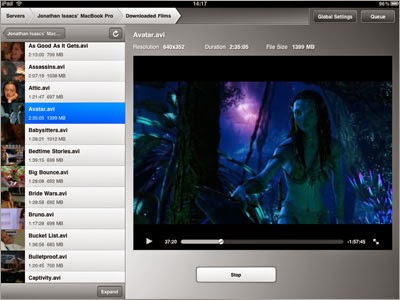


Air Video takes the video on your computer, and streams it to your iPad. It converts unsupported files on the fly, and plays almost any file type you throw at it. You set up an Air Video server on your computer (it's easier than you think), and then connect it to Air Video. Getting Air Video to stream when you're not on the same wireless network, which you can do from anywhere over Wi-Fi or 3G, isn't as simple, but it is doable. 

3.Hulu Plus 
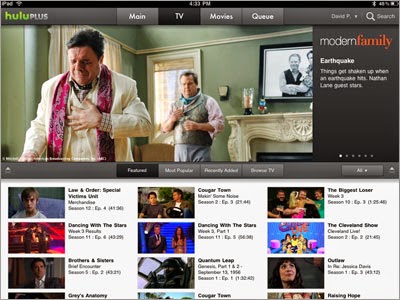


Hulu Plus subscribers get access to back catalogs of TV shows, and access to free apps for the iPhone and iPad. Hulu has a huge collection of shows from a variety of networks, streams in 720p HD, and will even sync your spot in the show with the Hulu Web site so you can pick up right where you left off when you're back at your computer. 

4. Netflix 
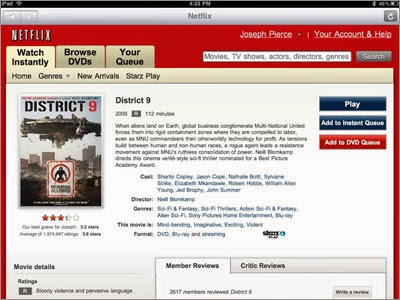


The grand poobah of streaming movies, Netflix is also one of the best and most complete iPad video applications. The constantly growing library has full seasons of TV shows like Friday Night Lights and Mythbusters, and a huge collection of movies ranging from mob dramas like The Godfather to light-hearted animated films like Up. The app also lets you manage your DVD and Watch Instantly queue, and syncs your progress to the Web so you can pick up on a bigger screen when you get home. 

5. Clicker 
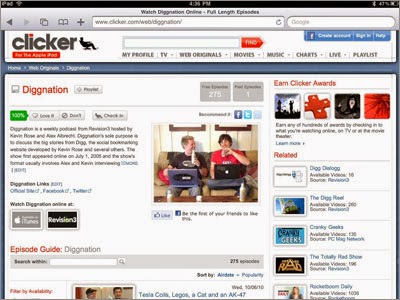


Some of the best video on the Web doesn't come from television networks. It comes from YouTube, Vimeo, and companies like Revision3, and blip.tv. Clicker is a Web site that acts as a TV Guide for all the Web's video (including the network stuff), and if you visit it from the iPad, you'll get all iPad-compatible video. Whether you're looking for shows like The Guild or the latest from ESPN, it's all on Clicker. 

6. Network TV Sites 
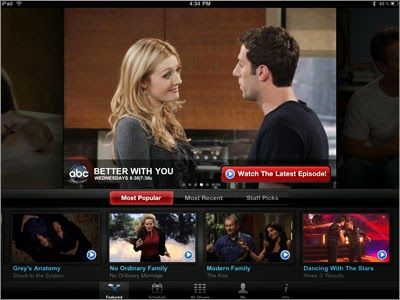


Many network shows can be viewed with the Hulu Plus app, but many of the networks have more complete solutions, with lots of extra material and information. ABC has a free app with plenty of recent episodes of its shows, as well as the ABC TV schedule and information about its lineup. The CBS site is iPad-optimized, so you can watch episodes, clips and more right from Mobile Safari. Bravo has an iPad app for streaming full episodes, and TBS has one with more limited functionality. Other networks are beginning to support the iPad, too, either through dedicated apps or with sites that don't use Flash for video (since the iPad doesn't currently support it). 

7. Apps for getting more HD contents onto new iPad devices (Blu-ray, DVD) 
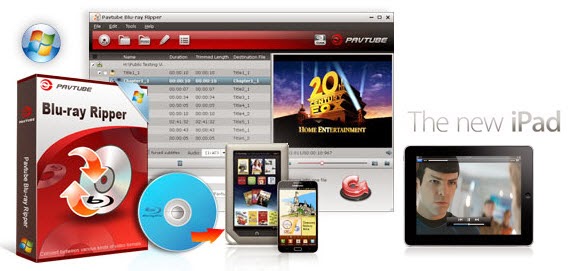


Of course, most of us are not about to pay iTunes' ridiculous prices to watch movies and TV shows they already own on Blu-ray and DVD. Instead, they'll just rip those discs to an iPad-friendly format. There are many programs out there that allow you to make copies of your DVDs and let you watch them the way you want to view them. If you're interested in doing likewise, check out Pavtube's Blu-ray to iPad Ripper for Mac or Windows Version . The application aims to help iPad users to rip BD/DVD to iPad/iPad 2/the new iPad playable files with perfect quality. It also offers format presets for Apple TV 3, iPhone, and iPod as well. In a word, the application is easy for conversion and editing yet makes great quality copies of Blu-rays and DVDs. You can refer to a guide here – Watch Blu-ray movies on iPad with Full-HD 1080p quality. 

8. YouTube App 

The new iPad's built-in YouTube App clearly will let you watch YouTube videos on your tablet. Of course, full TV shows and movies aren't really what YouTube is all about, but for music videos and other standard YouTube fare this is clearly where you'll head. 

9. ABC App 
ABC's iPad app will let you stream any of their shows, but unfortunately it's the only network offering iPad streaming up. CBS's TV.com iPhone app will work if you're really desperate for CSI, but it'll be ugly as sin. Hopefully they'll update it for the iPad soon. 

How to watch iOS videos on your HDTV 

Backup Sylvester Stallone DVD & Blu-ray Discs to PS3 on Mavericks

Saturday, May 3, 2014

Apple iOS 8 release date, news and rumors

iOS 7.1 has only just launched but already we're itching for iOS 8 and we're not alone, as rumors of what the new version of Apple's OS might include have started circulating. 

Enough have dropped for us to start to get an idea of what form iOS 8 might take, so without further ado here's what we've heard so far. 
Release date 


Release date 

New versions of iOS tend to get announced at Apple's Worldwide Developers Conference (WWDC) and there's been no suggestion that iOS 8 will break the trend. This year's WWDC 2014 has been confirmed as kicking off on June 2, which is when we anticipate the keynote speech will be. 

Apple's WWDC logos through the ages: what did they tell us? 

However, while iOS 8 will likely be announced then it probably won't actually launch until later in the year, making its debut on the iPhone 6. Again, this is all based on Apple's past iOS launches. 

Healthbook 

Apple, like Samsung, seems to be pushing the health and fitness capabilities of its products and the next step of that is likely to come with iOS 8. 

According to unnamed sources who spoke to 9 to 5 Mac, iOS 8 will come with a new app dubbed Healthbook. Supposedly it will have a similar interface to Passbook, but will track steps taken, distance travelled, calories burned and weight loss. 

So in other words it's doing the same job as stand alone fitness trackers like the FitBit Force, which makes sense since Apple already built an M7 motion co-processor into the iPhone 5S to track just those sorts of things, so it might as well make the most of it. 

However apparently it will also go way beyond that and track hydration levels, blood pressure, heart rate, blood sugar, nutrition information and respiratory rate, taking it a step beyond existing fitness trackers. 9to5mac has even recreated some images of how the app will supposedly look. 

Obviously no existing Apple hardware has the relevant sensors to track most of that stuff, but there's been talk recently that the iPhone 6 might have an array of new sensors, plus some of it may rely on Apple's unconfirmed iWatch. 

Apple Maps 


Apple Maps has had a bit of a tough time so far. Its launch was as far from smooth as possible and while it's no longer putting train stations in the middle of the sea it still lags some way behind Google's offering. 

That could be about to change though, as 9 to 5 Mac claims to have spoken to "sources briefed on the plans" and learned that public transport directions for trains, subways and buses will be added to Maps, initially for major US cities, with a wider roll out likely to follow. 

The same sources also claim that it will be more accurate than it is now and new points of interest and labels will be added for things like stations and airports. 

The appearance of the app has apparently been improved too, making streets more visible. Supposedly Apple is also working on an augmented reality feature, which will allow you to see points of interest on your camera viewfinder, though it's thought that this feature won't make it out in time for iOS 8. 

Late last year Apple patented some major new ideas for Maps, which would add a whole new level of interactivity beyond even what's currently rumored. 

It would allow users to tap a road for example and see information relevant to just that road, such as any junctions on it, or to tap a restaurant and get a menu. 

This functionality might be some way off yet, if it emerges at all, but we live in hope that it might make an appearance in iOS 8. 

Siri 

Apple could hardly release a new version of iOS without updating everyone's favourite personal assistant. 

According to tech site The Information, Apple wants Siri to be able to interface with third party apps. Currently it's compatible with a number of popular third party apps, but only because Apple worked directly with the developers to add the functionality. 


Shazam is one of those embedded applications being rumored, allowing you to verbally ask Siri what song is currently playing without having to open the Shazam app. 

In future any and all app developers might be able to make their apps compatible with Siri without Apple's help, which would vastly increase Siri's usefulness, allowing you for example to use third party messaging apps and calendars to send messages and set reminders. 

There's also talk that Siri might be able to contextually launch specific apps in future, so for example if you start jogging it might automatically launch RunKeeper, rather than you having to ask it to. 

iTunes Radio 

Apple looks to be putting more weight behind iTunes Radio, if sources speaking to 9 to 5 Mac are to be believed. The sources claim that it will be given a separate app for iOS 8, as currently it's part of the Music app. 

Supposedly other than becoming its own app it's going to remain exactly as it is now, which isn't so surprising as it only launched last year, but by giving iTunes Radio its own app it will be more noticeable to users and better positioned to take on other streaming services like Spotify. 

Preview and Text Edit 

We recently got our first glimpse of what might be iOS 8. Based on the image it unsurprisingly looks a lot like iOS 7, albeit with a few new apps on board. 

There's an icon for the aforementioned Healthbook and one for Tips, which is likely a user guide, but there are also Preview and Text Edit icons. 


If those names sound familiar it's because they're existing pieces of software for OS X, but now seemingly iOS is getting its own versions. 
However while the Mac versions are used to edit PDF's, images and text files, the iOS versions are apparently optimized to simply let you view any such documents that you have stored in iCloud. 

It's questionable how real this screenshot even is, 9to5Mac claims to have confirmed its veracity with several sources, yet it would be easy to fake, especially as the Text Edit and Preview icons are identical to their Mac counterparts. 

iWatch connection? 

There are still a multitude of rumors doing the rounds regarding the Apple iWatch, and with iOS 8 we could see functionality for a smartwatch built into the ecosystem. 

A screenshot appeared on a Chinese social network allegedly showing the iOS 8 interface and a new app called "Watch Utility." 


While we're not convinced of the screenshot's authenticity, it certainly does provide food for thought as the wearable market continues to develop and companies such as Samsung and Sony look to include such devices in their mobile operating systems. 

The Watch Utility app has also appeared in a series of leaked images from Phone Arena, claiming to show iOS 8 running on an iPhone 5S. 

As well as the Watch Utility app the leak also shows Healthbook, iTunes Radio and other mooted applications such as Preview, TextEdit and Tips. 

App updates 

There are whispers of various minor updates to a number of apps. According to an unnamed source the Notification Center is getting streamlined for iOS 8. The update completely removes the "Missed" tab, so everything can be found on either "Today" or "All". 

The Messages app is apparently having a new option added, to allow you to automatically delete threads after a certain period of time and Voice Memos may be getting a new button arrangement. 

Apple is also supposedly removing the requirement for a Lightning cord when using CarPlay, allowing it to work wirelessly instead. 

Apps may also be able to better communicate thanks to a new developer API which is rumored to be in testing. Known as an "XPC" service, the API would allow apps to share data, which among other things would hopefully make it easy to keep files synced up across different apps. 

Goodbye Game Center 

While there are a lot of new things rumored for iOS 8 we might also be losing some things. Apple's Game Center app is rumoured to be for the chopping block according to 9to5Mac, with the functionality being moved directly into games themselves.